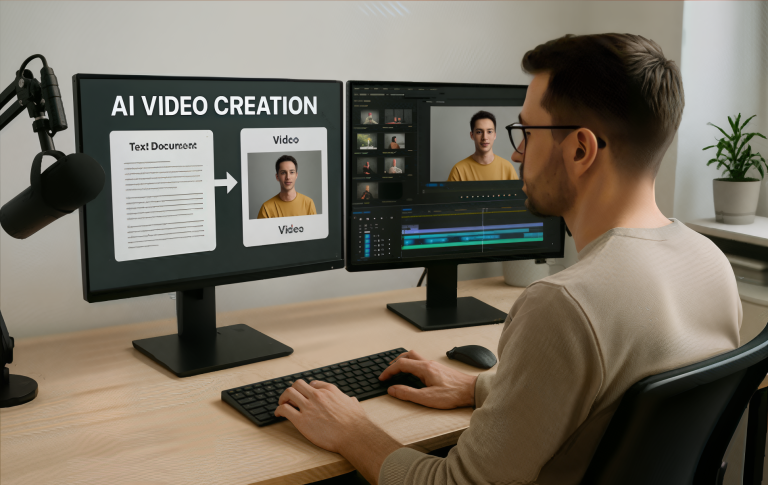
9 Best AI Video Generators in 2026


Share The Love:
TL;DR
- AI video generators automatically turn text and scripts into videos using generative models.
- These tools vary in focus — from corporate explainers to social shorts.
- Most include voice, subtitle, and export options to streamline video workflows.
- Best choice depends on desired output style (realistic, animated, branded, or platform-optimized).
The leading AI video generators now produce studio-quality content from simple text prompts. These powerful AI tools transform how businesses, content creators, and marketers approach video production.
In 2026, 93% of Gen Z prefer customized video content from brands. Traditional barriers like expensive equipment, lengthy editing processes, and the need for on-camera talent are no longer necessary.
Whether you need to generate a video for social media, training content, or need help with writers block, continual advancements offer unprecedented options for AI video platforms.
AFFILIATE DISCLAIMER: As an affiliate, I may receive a commission on any purchases made through the links provided. I only promote products and services that I believe provide value and guarantee honest opinions in my reviews.
What Are AI Video Generators?
AI video generators are platforms that use artificial intelligence to convert text, prompts, or scripts into fully produced video content. Traditional video editing workflows require manual cutting, timelines, and rendering.
These tools leverage machine learning to automate visuals, voiceovers, animations, and scene sequencing. In 2025, AI video generators are widely used across digital marketing, e-learning, social media content, and corporate communications.
Speed, cost efficiency, and ease of use for non-editors make them very appealing. They pull from stock media libraries, text synthesis, and intelligent layout engines to create videos in minutes instead of hours or days.
How AI Video Generators Work
Most AI video platforms follow a similar workflow:
- Input: User provides text, script, or creative direction.
- Scene Generation: AI suggests visuals, scenes, and pacing.
- Voice & Audio: Generative voiceovers or uploaded audio tracks are integrated.
- Editing & Export: The system edits, formats, and outputs in selected resolutions.
Some tools emphasize realistic avatars and voices, others focus on animated sequences or social-format reels. The common thread is that AI handles complex production steps automatically, enabling faster content creation.
These platforms combine advanced AI models, natural language processing, and computer vision.
Best AI Video Generators in 2026
Ready to automatically generate visuals, realistic voiceovers, and sync everything perfectly with your script?
Consider the following AI video models now:
1. Fliki AI

Overview
Fliki AI is an AI video generator that turns text into videos with voiceovers and stock footage, focusing on simplicity and rapid production. This platform excels at transforming blog posts, articles, and scripts into professional video content.
With support for over 75 languages and 100+ dialects, Fliki enables global content creation at scale.
Key Benefits
- Converts text scripts into videos automatically
- Offers multilingual AI voices and subtitles
- Includes extensive stock media libraries
Best for: Content creators and marketers needing quick explainer or social videos
Pricing: Subscription tiers with export limits
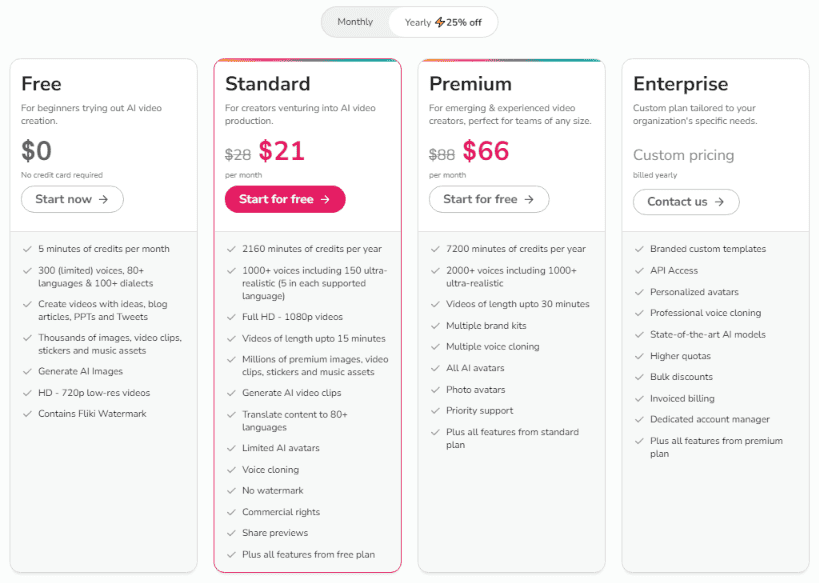
Fliki offers a freemium model that’s perfect for testing the waters, with paid plans designed for serious content creators and businesses.

2. Steve AI

Overview
Steve AI has positioned itself as the go-to AI video generator for faceless creators and influencers. It creates animated videos from scripts using AI-driven scene selection and storytelling logic.
Key Benefits:
- Produces animated video sequences from text
- Smart scene suggestions based on input prompts
- Easy drag-and-drop refinement tools
Best for: Animation-style narrations and product storytelling
Pricing: Monthly subscriptions
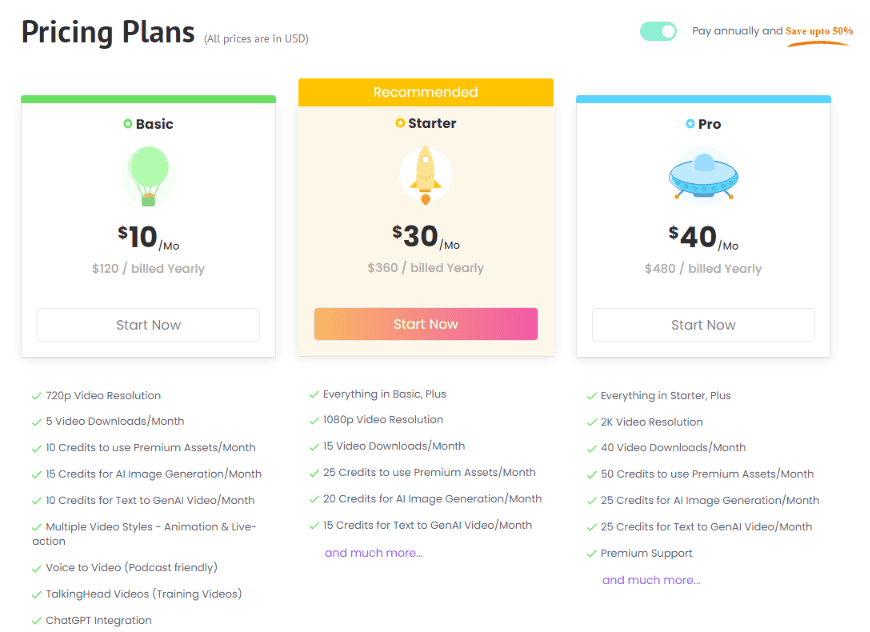
Steve AI operates on a credit-based system with flexible plans for different usage levels and creative needs.
3. Synthesia
Overview
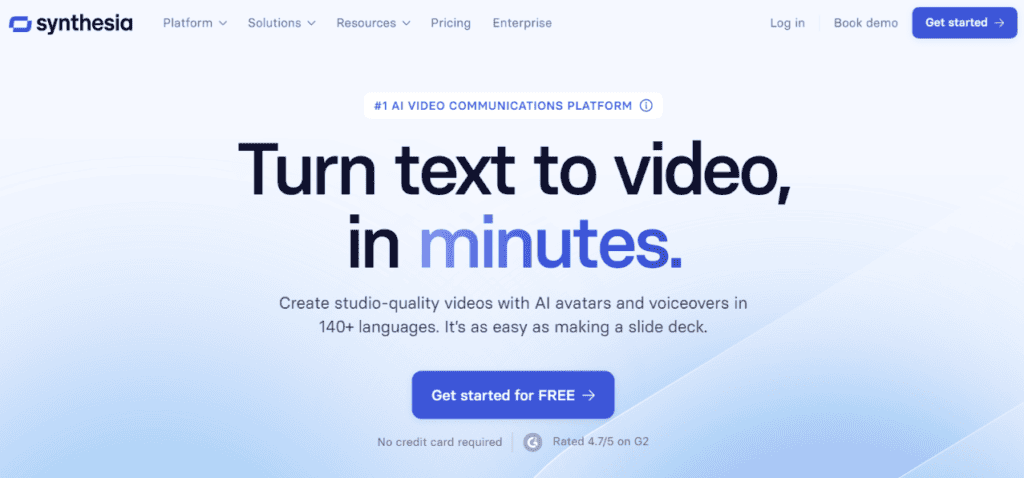
Synthesia leads the enterprise AI video generation market with its sophisticated AI avatar technology and comprehensive multilingual capabilities. It generates professional talking-head videos from text without cameras or recording equipment.
Key Benefits:
- Realistic AI presenters and multilingual voices
- Corporate and training video templates
- Custom branding capabilities
Best for: Corporate training, internal comms, and explainers
Pricing: Tiered subscription per seat
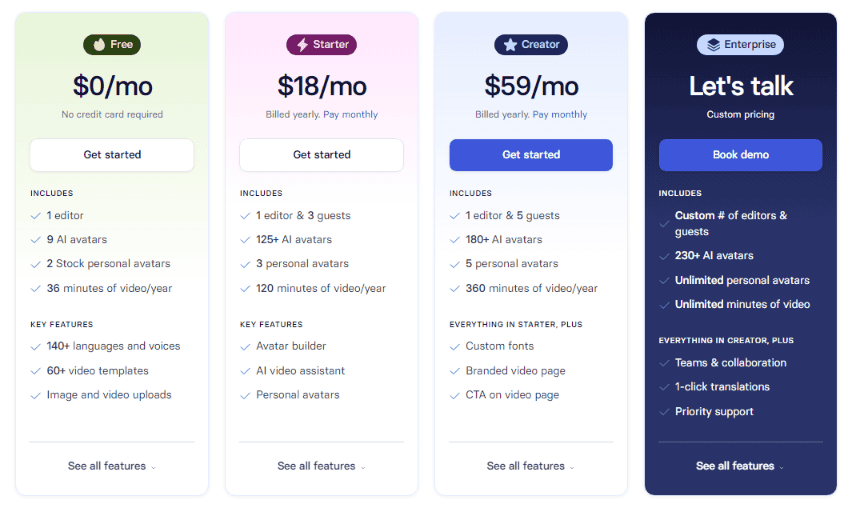
Synthesia’s pricing reflects its enterprise focus, with plans designed for teams and organizations requiring professional-grade video production.

4. InVideo AI
Overview
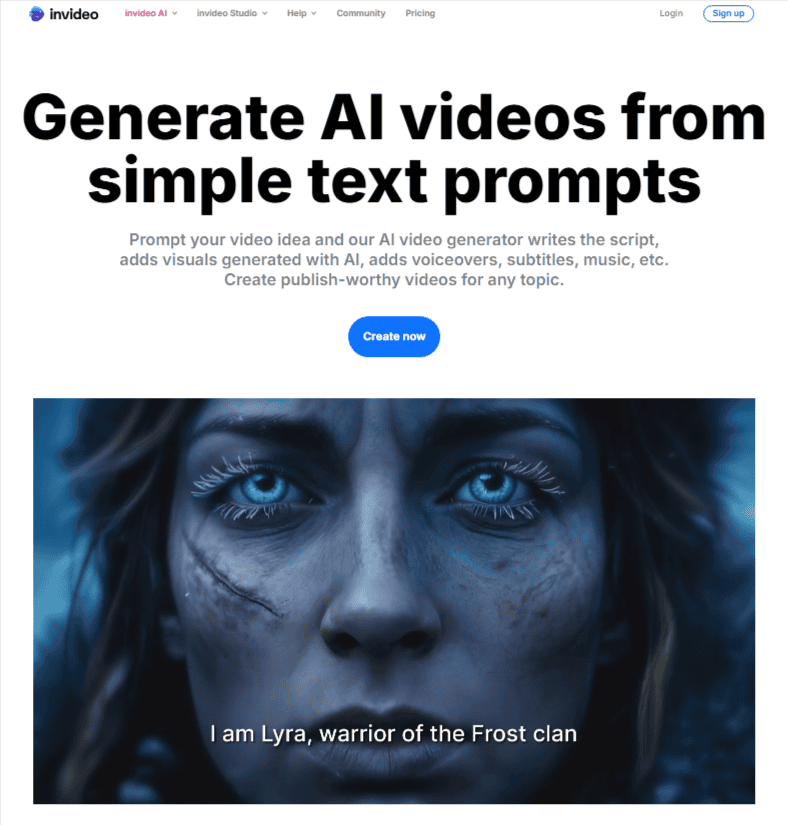
InVideo AI strikes the perfect balance between powerful features and user accessibility. It combines AI generation with a traditional video editor, helping users create polished videos with smart suggestions and templates.
Key Benefits:
- Hybrid AI + manual editing interface
- Template library for multiple use cases
- Brand kit and export presets
Best for: Businesses that want control plus automation
Pricing: Subscription with media credits
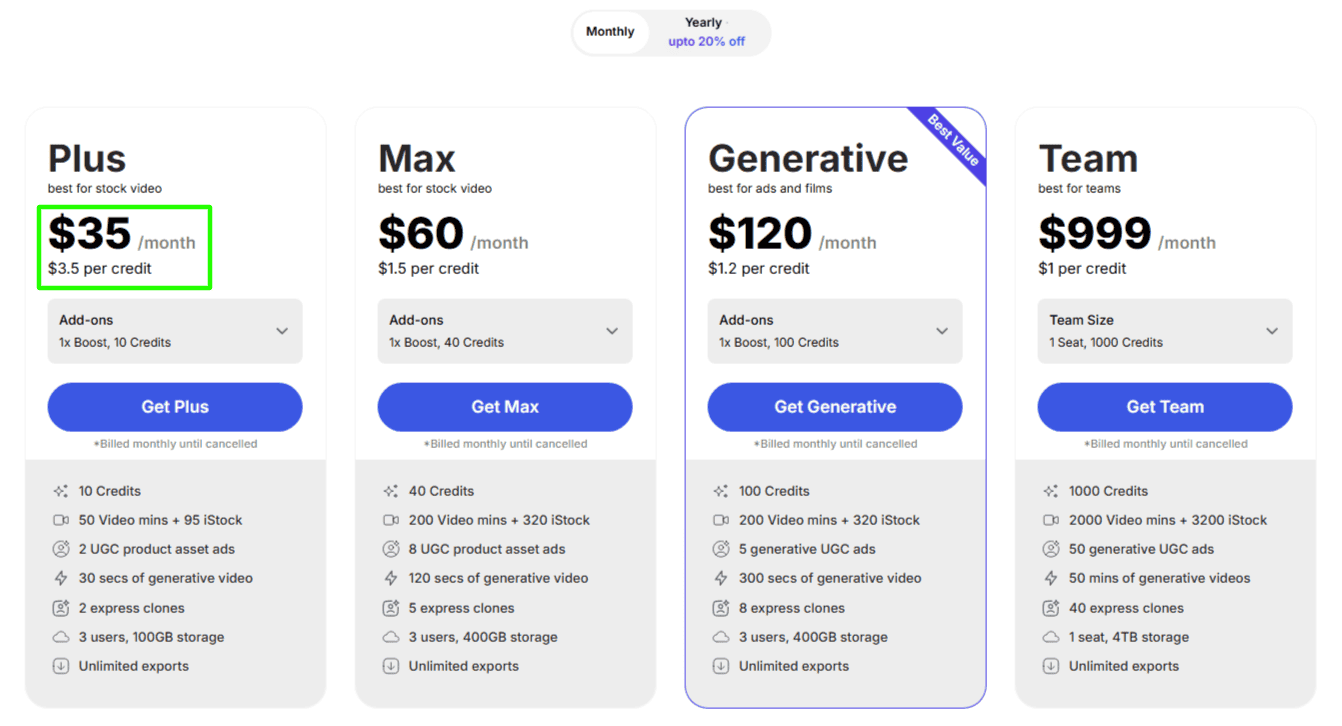
InVideo AI offers competitive pricing that scales from individual creators to enterprise teams, with generous free options for getting started.
5. Vidnoz
Overview
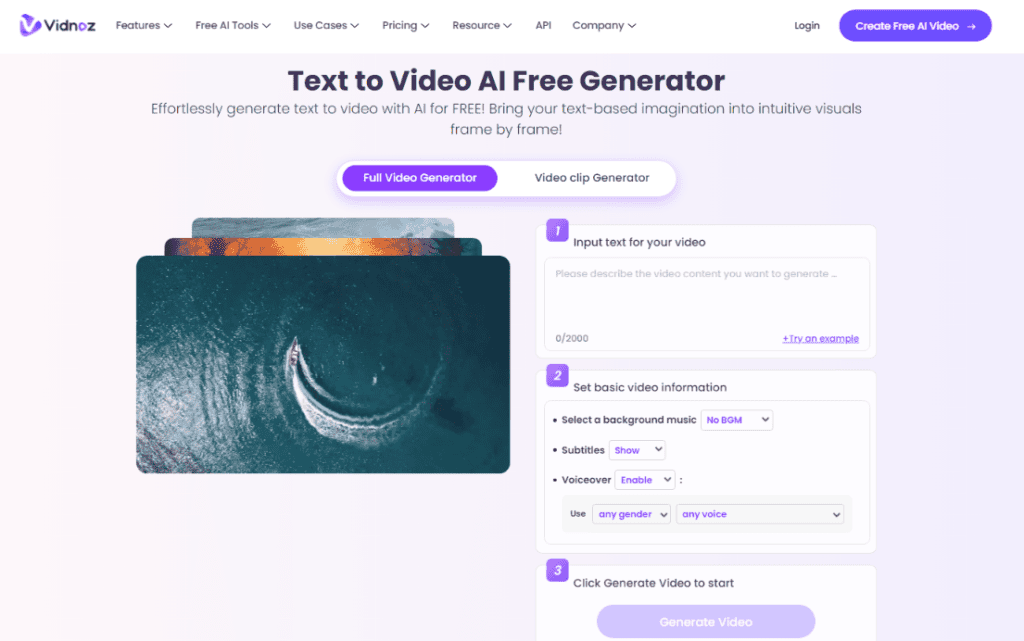
Vidnoz offers over 1500 AI avatars and 1830+ AI voices. It focuses on intuitive visual generation from text and templates, with emphasis on motion design. The platform particularly shines in creating training videos, explainer content, and multilingual educational materials.
Key Benefits:
- Smooth motion and aesthetic visual templates
- Simple text-to-video workflow
- Custom music and voice options
Best for: Social and promotional video content
Pricing: Tiered monthly plans
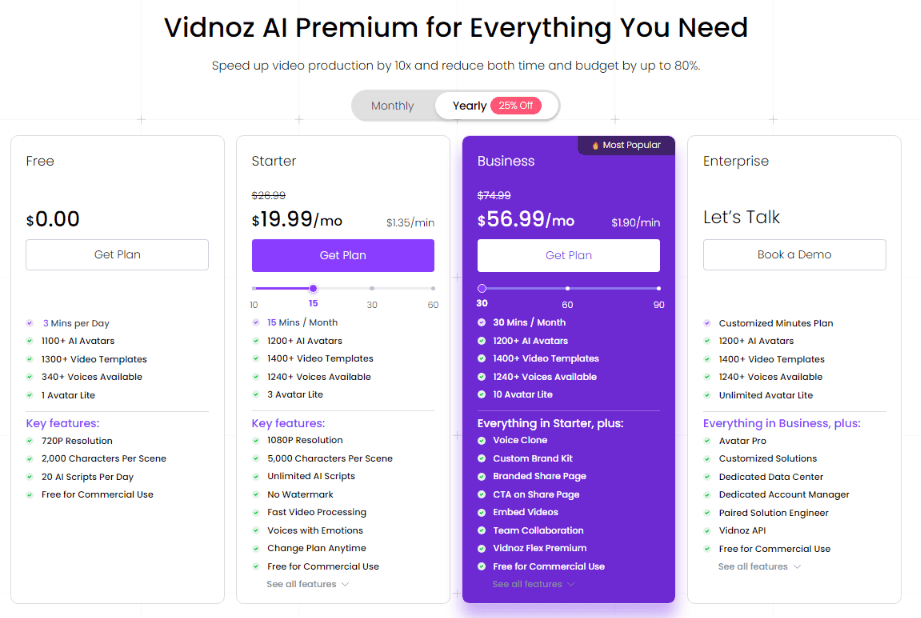
Vidnoz provides flexible pricing options with generous free tiers and scalable plans for different organizational needs.

6. Pictory
Overview
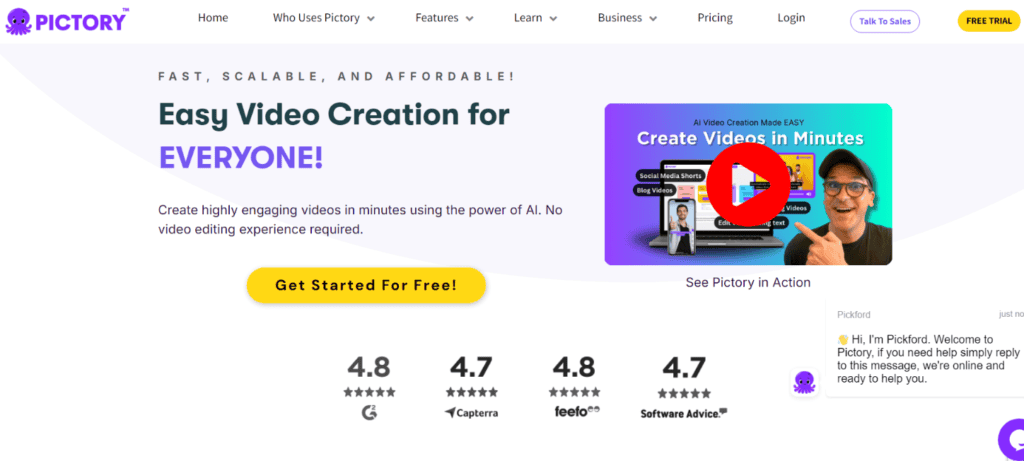
Pictory specializes in transforming long-form content into engaging short videos. It transforms articles or webinars into short video snippets optimized for platforms like YouTube and TikTok.
Key Benefits:
- Transforms long text or video into short clips
- Auto subtitles and voice options
- Cloud-based workflow with exports
Best for: Repurposing blog posts and webinars
Pricing: Subscription levels
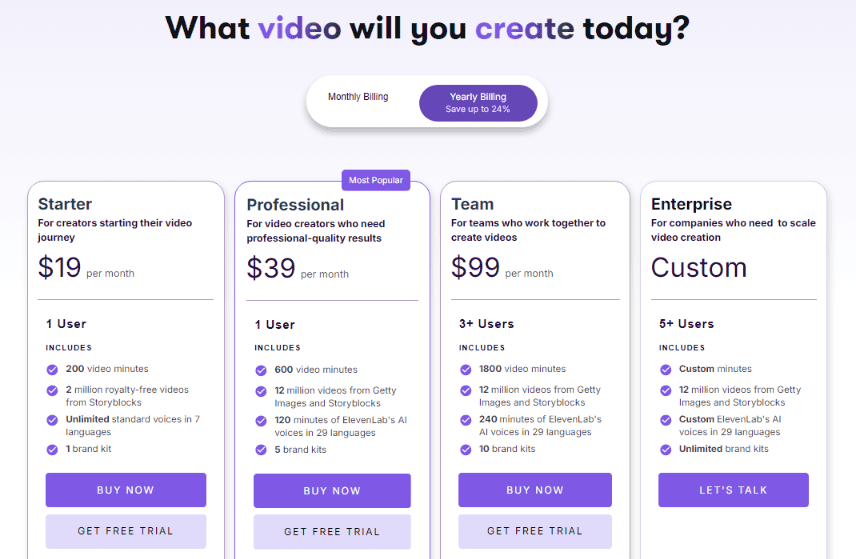
Pictory offers straightforward pricing designed for content creators and marketing teams who need consistent video production capabilities.

7. Deepbrain AI
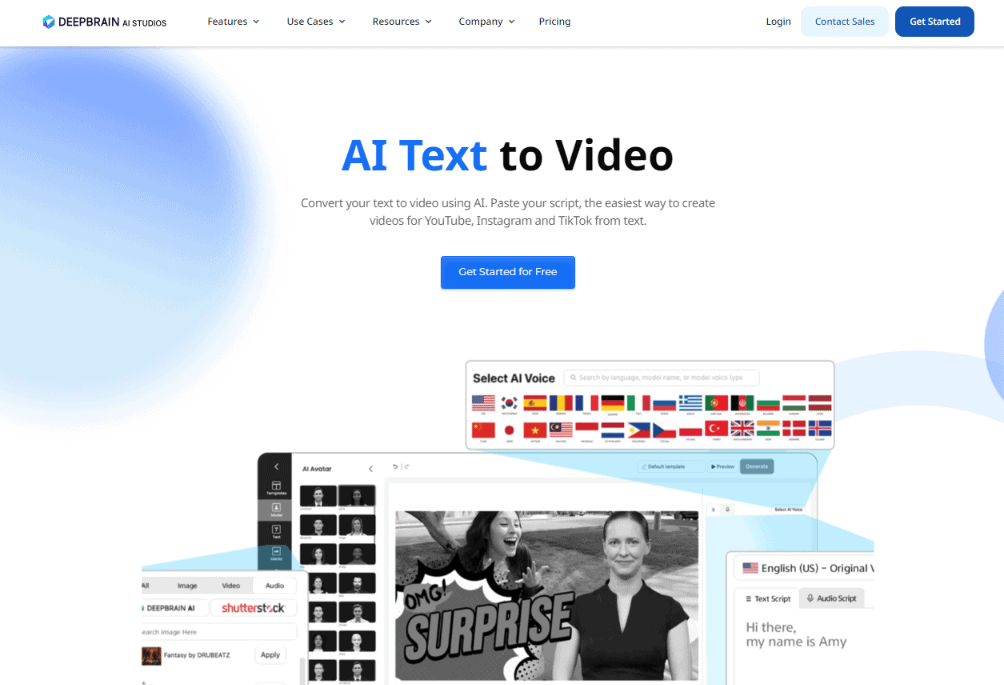
Overview
Deepbrain AI (AI Studios) offers hyper-realistic AI avatars and advanced video production capabilities. It is known for realistic AI avatars and voiceovers tailored to human-like presentations.
Key Benefits:
- Lifelike AI presenter avatars
- Natural voice synthesis
- Support for multiple languages
Best for: Professional presentations and e-learning videos
Pricing: Higher-tier subscription offerings
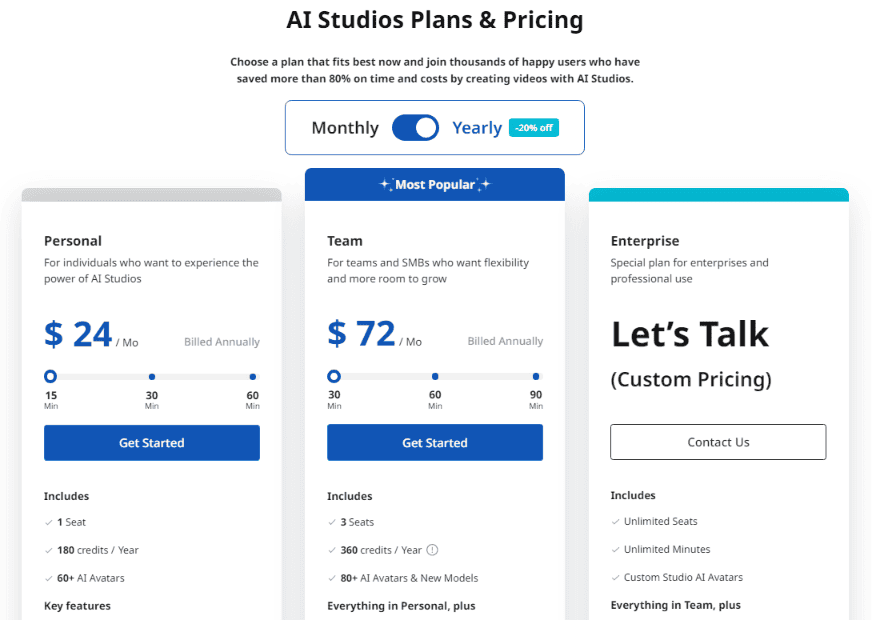
Deepbrain AI offers tiered pricing that scales from individual creators to large enterprises requiring advanced features and support.

8. OpenArt AI

Overview
OpenArt AI specializes in transforming static images into dynamic videos and creating artistic content that pushes creative boundaries. It is a multi-modal generative platform that includes video creation as part of an art-centric creative suite.
Key Benefits:
- Artistic video generation with stylized outputs
- Integrates with image and media generation tools
- Creative freedom in visual styles
Best for: Artists and creative professionals
Pricing: Subscription or credit packages
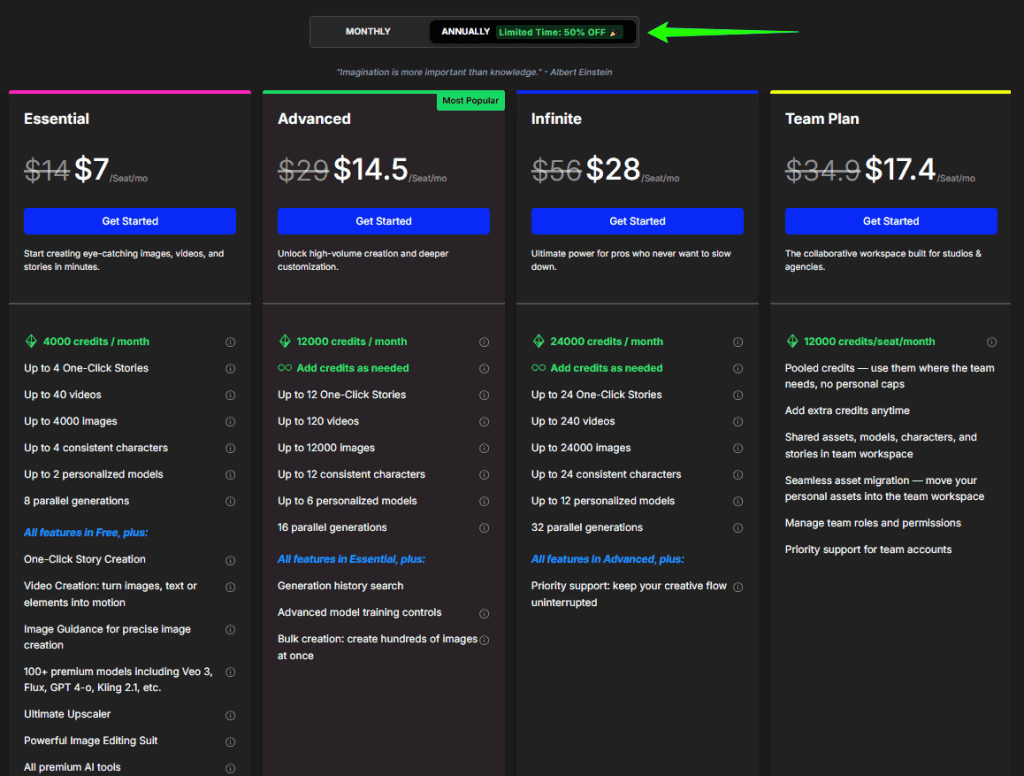
OpenArt AI uses a credit-based system that allows creators to pay only for what they create, with options for different usage levels and creative needs.

9. Simplified

Overview
Simplified is an all-in-one content creation platform with an AI video generator plus graphic, copy, and social tools. It excels at short-form videos optimized for TikTok, Instagram Reels, and YouTube Shorts.
Key Benefits:
- Integrates video with marketing and graphic tools
- Collaborative team workflows
- Simple export and template gallery
Best for: Small teams producing multi-format content
Pricing: Free tier + paid plans

Simplified offers flexible pricing that includes video generation alongside other content creation tools, providing excellent value for comprehensive content marketing.

💡 Expert Tips for AI-Generated Video Creation
At present, these are the current industry insights and best practices in AI video generation.
Implement the following to elevate your outputs no matter the tool:
1. Begin with great still frames before animation
Start by generating a high-quality still image that nails the composition, lighting, and detail you want. Once you’re happy, animate that still to produce your video. This lets you iterate cheaply and quickly on static visuals before consuming more resources on video generation.
2. Craft your prompts like a film script
Think of your prompt as a mini screenplay. Define objectives clearly, include camera movement (e.g., “pan right,” “wide-angle”), lighting (e.g., “golden hour,” “moody shadows”), and motion (e.g., “slow zoom,” “drifting particles”). Including cinematography language dramatically improves realism and coherence in video output.
3. Use structured, layered prompt design
Layer your prompts progressively:
- Start with a short, focused prompt to preview output
- Gradually build complexity—adding environment, emotion, dynamics
- Use the following prompt in ChatGPT, Claude, etc. “Create a super in-depth prompt for an AI generated video using [your chosen tool] model. The prompt idea is [your detailed description of the scene you want]“.
This helps you isolate which descriptions most influence results and lets you hone in on what works best.
4. Explicitly exclude undesired elements using positive “negative prompts”
If your tool supports it, use concise negative prompt terms like “wall, frame” (rather than “don’t include walls”). This helps the AI avoid generating distracting or unwanted elements that can degrade video quality.
5. Iterate with human-in-the-loop feedback
Treat AI output as a draft. Evaluate what’s off—like odd movement, deformed anatomy, or visual glitches—and refine your prompt based on that feedback. Systems may misinterpret specifics, so iterating helps dial in accuracy and polish.
Final Thoughts
As AI video technology continues to advance rapidly, stay informed about new features and best practices. Doing so will help you maximize the potential of these powerful tools.
Start with free plans to experiment and find your preferred workflow, then scale up as your needs grow. Let the AI guide you toward the creative output you seek.
FAQs
What is an AI video generator?
An AI video generator uses machine learning to automatically create videos from text, images, or prompts, reducing the need for manual editing.
Can AI video generators replace human editors?
They speed up and simplify many editing tasks, but human oversight is often still needed for final polish and branding nuance.
Are real human voices better than AI voiceovers?
AI voice quality has improved significantly, but human voices may still perform better for nuanced emotion or brand personality.
Do these tools work on long videos?
Some are optimized for short formats; others can generate longer videos but may require more manual refinement.
Do AI video generators support subtitles and languages?
Yes. Most support multilingual AI voices, auto subtitles, and text translation workflows.

Ken Jones
Ken empowers small business owners and entrepreneurs to scale productivity through innovative content creation, strategic planning, and cutting-edge technology. He’s passionate about helping businesses thrive in the digital age.